Skip to content
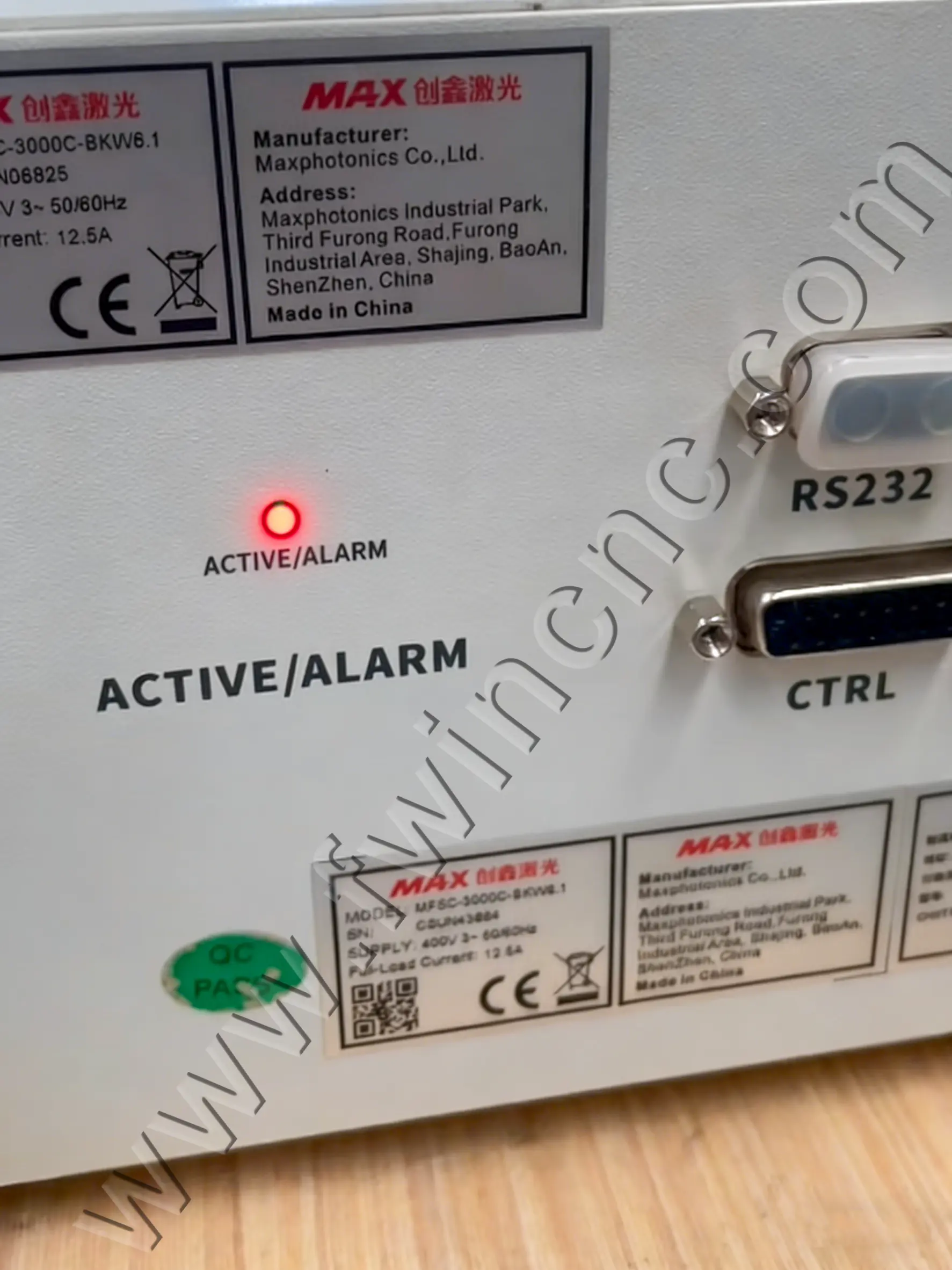
Laser Power Supply Indicator Light Blinking
Quick Troubleshooting Guide for Fiber Laser Users
If your fiber laser power supply indicator light keeps blinking, don’t panic.
In most cases, this is a protective warning, not a serious laser failure.
This quick guide explains what it means and what to check, in plain language.
What Does a Blinking Indicator Light Mean?
A blinking red or alternating red-green light usually indicates that the laser power supply is not in normal working status.
Common reasons include:
-
Power signal abnormality
-
Cooling water issues
-
Incorrect internal power settings
-
Unstable input voltage
Most of the time, the laser source itself is not damaged.
Step 1: Safety Check (Do This First)
Before any inspection:
-
Turn off the main laser power
-
Shut off the cooling water
-
Wait at least 10 minutes after power-off
-
Make sure there is no residual voltage
This avoids electric shock and component damage.
Step 2: Check Cooling Water System
Cooling problems are a very common cause of alarms.
Make sure:
-
All water pipes are fully inserted and locked
-
No leaks or loose connections
-
Water flows normally after restarting
After restoring water, wait a few minutes and observe the indicator light again.
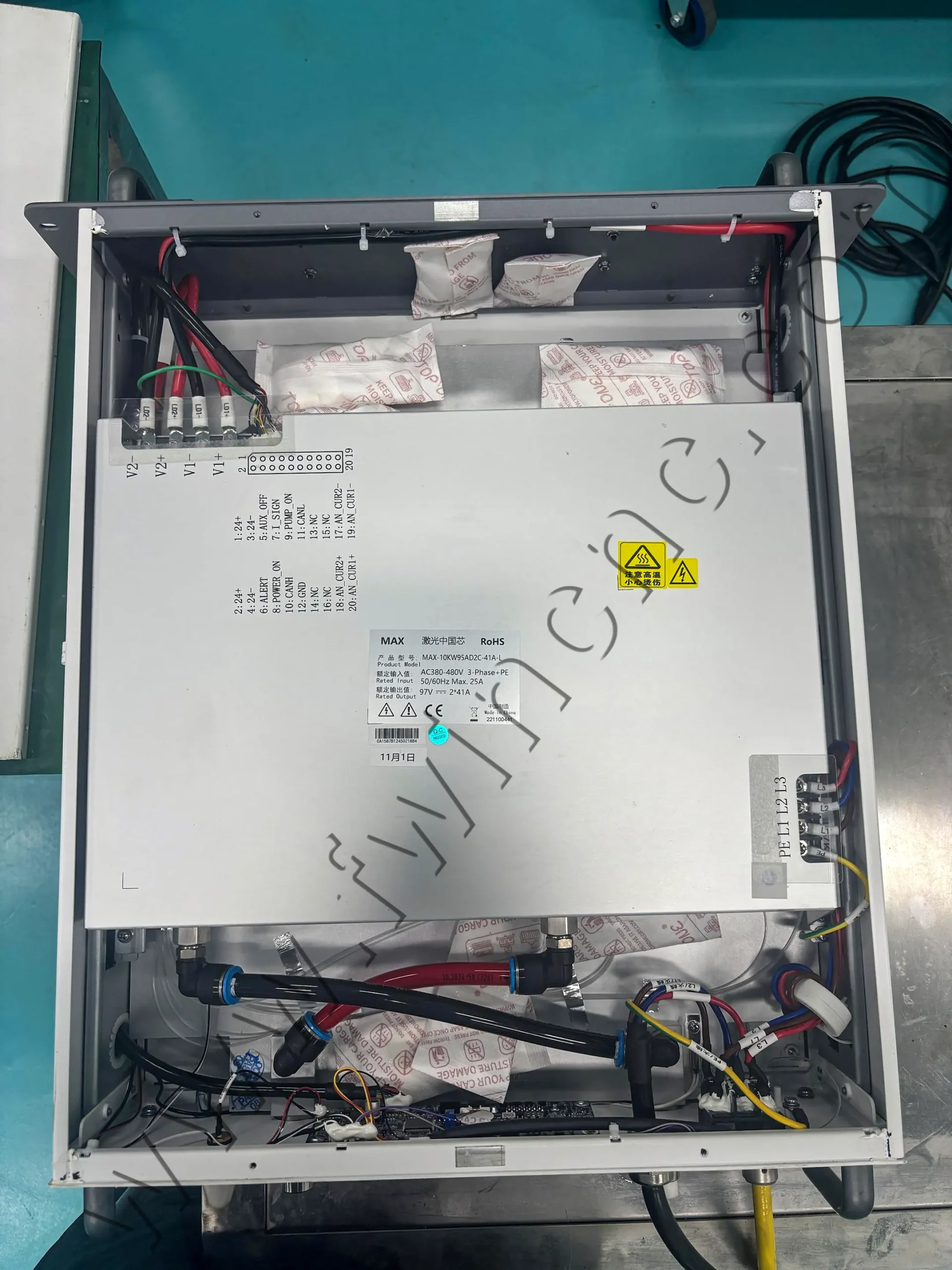
Step 3: Check Power and Signal Connections
Next, inspect the wiring:
-
Input power should be stable (usually AC 380V ±5%)
-
Power cables must be firmly connected
-
Control and signal wires should not be loose or reversed
Even a small connection issue can trigger warning lights.
Step 4: Power Supply Adjustment (If Required)
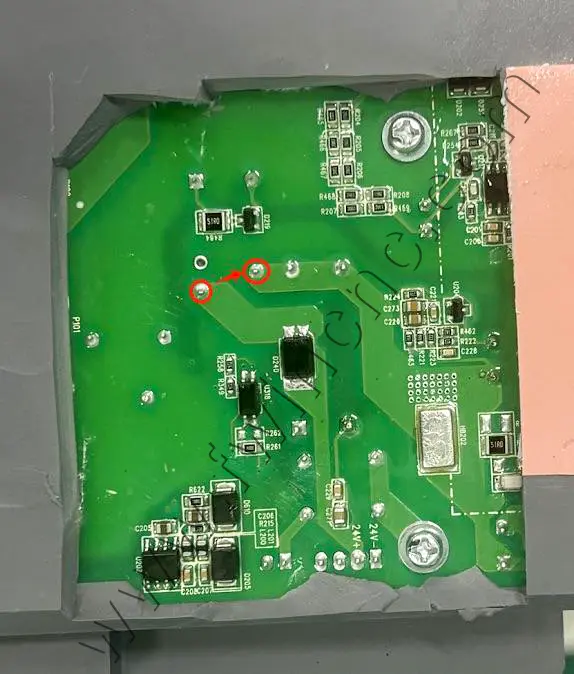
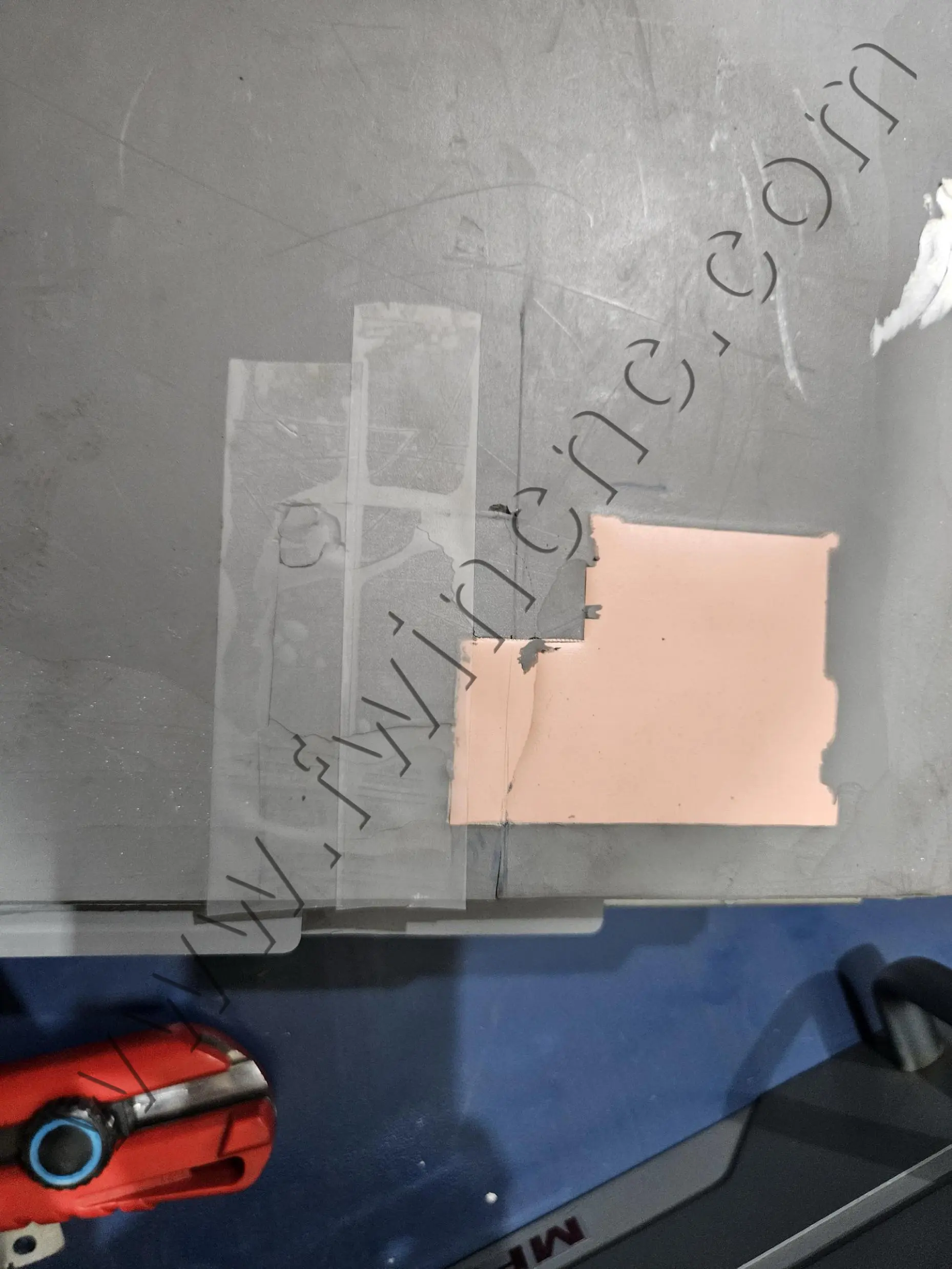
In some cases, the power supply needs a simple internal adjustment to return to normal operation.
This may include:
-
Opening the power supply cover
-
Removing protective silicone in a specific area
-
Bridging designated solder points
This step should be handled by trained technicians only.
Step 5: Power-On and Functional Test
After everything is restored:
-
Turn on cooling water and check for leaks
-
Power on the system
-
Observe the indicator light
-
Alternating red and green usually means normal status
-
-
Run a low-power laser test (around 10%)
-
Let the machine run for 20–30 minutes to confirm stability
Final Summary
A blinking laser power supply indicator light is usually a warning, not a failure.
Most issues are related to cooling, wiring, or power settings, and can be resolved with basic checks.
If the alarm continues after inspection, professional technical support is recommended.